


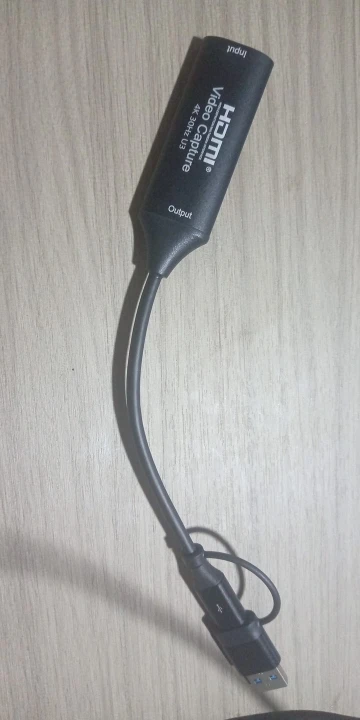
Amora Directo · Capturadora de video 4K HDMI a USB y USB-C
Graba y transmite lo que pasa en tu pantalla.
Conecta tu consola o cámara por HDMI y lleva la imagen a tu computadora por USB o USB-C.
- Entrada máxima
- 4K · 30 Hz
- Captura, sin compresión en USB 3.0
- 1080p · 60 Hz
- Conectar y usar (UVC)
- Sin drivers

Una computadora juega, otra graba
Captura la señal de tu consola o cámara en otra computadora, sin cargar el equipo con el que juegas.
-
Imagen y sonido
Captura el video y el audio de la señal HDMI.
-
USB o USB-C
Se conecta a computadoras con cualquiera de los dos puertos.
-
Compacta
Mide 71.6 × 22.7 × 11 mm.

Antes de comprar
Revisa la señal de tu equipo y elige la versión correcta.
-
Entrada de 4K a 30 Hz
Si tu equipo envía 4K a 60 Hz, cámbialo a 1080p.
-
USB 3.0 o 2.0
La captura de 1080p a 60 Hz sin compresión es con USB 3.0.
-
No incluye
El cable HDMI.
Ficha técnica
El cable HDMI no está incluido.
- Tipo
- Capturadora de video HDMI a USB
- Entrada
- HDMI, hasta 4K a 30 Hz
- Captura
- Hasta 1080p a 60 Hz
- Conexión
- USB-A con adaptador USB-C
- Profundidad de color
- 24, 30 y 36 bits
- Cable HDMI
- Hasta 15 m en 1080p o menos
- Estándar
- UVC y UAC, sin drivers
- Alimentación
- Por USB, sin fuente externa
- Medidas
- 71.6 × 22.7 × 11 mm
Descripción completa
Graba y transmite lo que pasa en tu pantalla.
Una capturadora que recibe la señal HDMI de tu consola, cámara o computadora y la lleva a otra computadora por USB o USB-C, con imagen y sonido. Se conecta y funciona: no necesita drivers ni corriente aparte.
- Entrada de hasta 4K a 30 Hz: acepta señales HDMI de hasta 4K.
- Captura en 1080p a 60 Hz: sin compresión en la versión USB 3.0.
- USB y USB-C: conector USB-A con adaptador USB-C unido al cable.
- Sin drivers: estándar UVC y UAC, compatible con los programas de captura y streaming más usados.
- Sin fuente de poder: toma la energía del puerto USB.
Antes de comprar
La entrada máxima es 4K a 30 Hz: si tu equipo envía 4K a 60 Hz, cámbialo a 1080p. Para capturar 1080p a 60 Hz sin compresión, elige la versión USB 3.0.
El cable HDMI no está incluido. Para capturar la pantalla de un teléfono necesitas un adaptador HDMI aparte.
I recommend it! Very good, it worked perfectly.
Plug it into a blue USB port (which is 3.0) on the back of the PC.
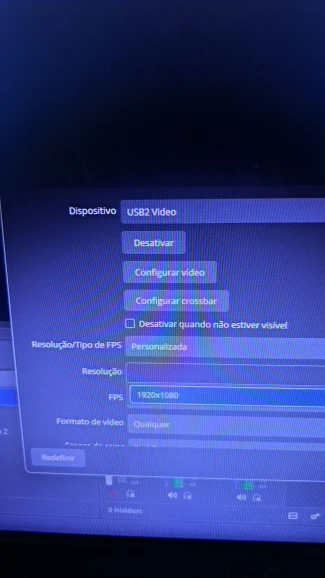
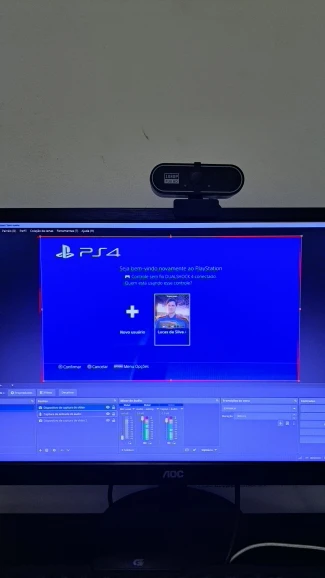
No, the best option for the video format is YUY2, set the color range to full (I recorded on my PS4 and set this option on the console as well).
I set the color space to Rec.709.
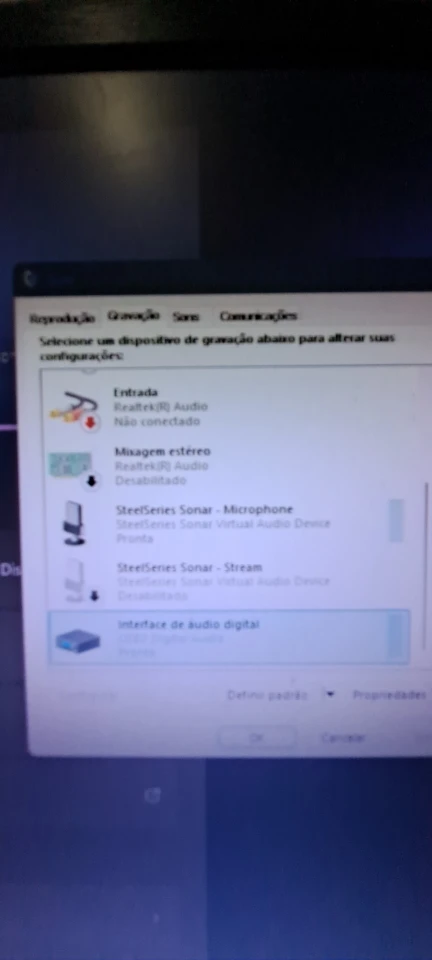
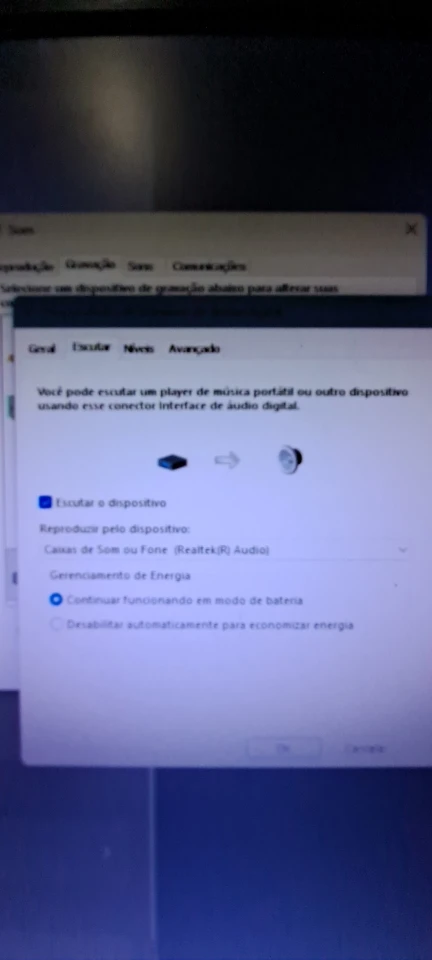
Regarding the sound, the capture card has a delay, and to get around this, just go to settings (in Windows 11), go to sound, scroll down to advanced, and click on "More sound settings." Now click on the recording tab and look for "Digital audio interface," double-click to open it, go to the listen tab, check "Listen to device," and click apply. Now, when you're going to record, just record the sound from the PC and the sound from the video game will come out without delay.
Excellent product and quality
It's the best value for money.
I haven't used it for a long time, so I haven't been able to test its durability.
The latency varies from PC to PC when a splitter is placed at the front end, but it is around 50 to 80 ms.
I'm not a graphics expert, so I'm not sure about the quality.
For a product priced at 8,000 won, this level of quality is really good.
It served its purpose of watching TV on the computer, I recommend it, especially because it has a dual USB input.
It works with my macbook using quick time player.
Tried capturing a laptop's 1080p hdmi out on my windows desktop with obs. Tried viewing a laptop's 1080p hdmi out on an android tablet using the next camera app. Picture and sound were good in both cases. Very happy with the results and with the price. Did not try with an hdcp protected hdmi signal like from my tv cable box so don't know if hdcp causes problems.
Really good item. i bought for connecting nvr to my phone.
Thank you very much, it looks sturdy and good.
It works really well! i honestly thought the output was gonna look chopped but it looked really nice when i tried it and it was at 60 fps. i don’t notice any major latency problems either so yay!
Excellent product, very well made and of high quality, highly recommended.
It's ok, like i expected it's working well. Thank you to seller.
Excellent product, works very well.
Plugged in and my pc recognizes it instantly. Tested on several programs like obs and it works perfectly.
Latency
For 1080p is 95ms
For 480p is 42 ms
Works very good for hyperhdr / hyperion
Plug and play, no setup needed. There’s a small amount of latency but only just noticeable, very useful for checking on nvrs and other servers with your laptop.
Preguntas frecuentes
¿Necesito instalar drivers?
No. Usa los estándares UVC y UAC: la computadora la reconoce como cámara y micrófono.
¿Qué versión me conviene?
La USB 3.0: es la que captura 1080p a 60 Hz sin compresión.
¿Puedo conectar 4K a 60 Hz?
La entrada máxima es 4K a 30 Hz. Si tu equipo envía 4K a 60 Hz, cámbialo a 1080p.